Introduction
I have access to LLM APIs from several different providers. I use Hermes for all kinds of tasks, and I do not want to edit the Hermes configuration every time I switch models. So I set up LiteLLM and put the models from those different providers behind one OpenAI-compatible API. Hermes only needs to be configured once. After that, when I want to switch the underlying model, I just change the model mapping in the LiteLLM admin UI.
I first got everything working locally and confirmed that the models could actually be called. Then I moved it to Kubernetes and connected PostgreSQL, Redis, Traefik, and ArgoCD. This post documents the full setup and a few problems I ran into along the way.
Why I use LiteLLM
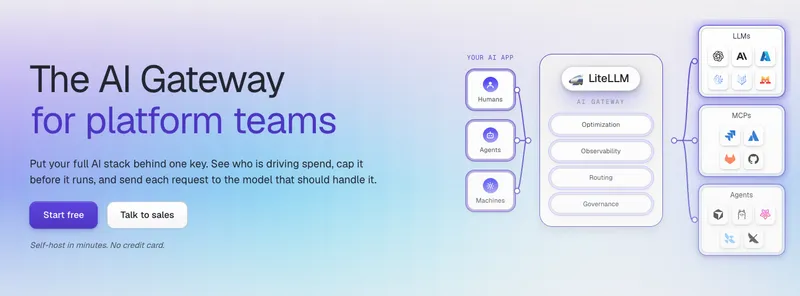
LiteLLM can wrap models from different providers behind the same OpenAI-compatible API. A client only needs a base_url, an API key, and a model name. It does not need to care which provider is behind that model.
Hermes normally calls a model by name. After adding LiteLLM, I point the model name in Hermes at a fixed LiteLLM entry, such as main-fast. If I later want to use a different model, I can change what main-fast maps to in LiteLLM. Nothing needs to change on the Hermes side.
I currently have three model entries for different Hermes workloads:
main-fast: fast and cheap for frequent everyday usemain-pro: the most capable option for complex reasoningmain-vision: for tasks that need vision support
These are names I created in LiteLLM. Each one points to a real model from one of my providers. Switching models only means changing the mapping. Hermes stays untouched.
PostgreSQL stores virtual keys, usage data, model settings, and request logs. Redis handles response caching and shared router state. I use Traefik for ingress and ArgoCD for deployment.
Directory structure
The files live under aws-k8s/litellm:
litellm/
├── argocd.yaml
├── config.yaml
├── deploy.yaml
├── ingressroute.yaml
├── kustomization.yaml
└── svc.yaml
argocd.yaml defines the ArgoCD Application, so it is not included under resources in this directory. Kustomize renders everything else.
LiteLLM configuration
Here is a trimmed version of config.yaml. I removed the real keys and passwords from the example. The actual repository currently stores the values directly. It is convenient to deploy, but the repository must stay private.
model_list:
- model_name: main-fast
  litellm_params:
    model: openai/main-fast
    api_base: https://llm.example.com/v1
    api_key: os.environ/FAST_API_KEY

- model_name: main-pro
  litellm_params:
    model: openai/main-pro
    api_base: https://llm.example.com/v1
    api_key: os.environ/PRO_API_KEY

- model_name: main-vision
  litellm_params:
    model: openai/main-vision
    api_base: https://llm.example.com/v1
    api_key: os.environ/VISION_API_KEY

litellm_settings:
  drop_params: true
  cache: true
  json_logs: true
  default_fallbacks:
  - main-fast
  cache_params:
    type: redis
    host: redis
    port: 6379
    password: os.environ/REDIS_PASSWORD
    ttl: 3600

router_settings:
  redis_host: redis
  redis_port: 6379
  redis_password: os.environ/REDIS_PASSWORD

general_settings:
  master_key: os.environ/LITELLM_MASTER_KEY
  database_url: os.environ/DATABASE_URL
  store_model_in_db: true
  store_prompts_in_spend_logs: true
  background_health_checks: true
  health_check_interval: 3600
A few of these settings have been useful for me.
drop_params: true drops parameters that an upstream model does not support. Different providers support the OpenAI API to different degrees. Enabling this avoids some unsupported-parameter errors.
default_fallbacks configures a fallback model. If the default request fails, LiteLLM can try the backup model. The capabilities and response style may differ, though, so I do not treat fallback as a completely transparent switch.
store_model_in_db: true lets me add models through the admin UI or API and save the configuration in PostgreSQL. Models defined in the file still work and are loaded alongside models from the database.
store_prompts_in_spend_logs: true writes requests and responses to Spend Logs. This is handy when debugging calls, but it also stores real conversations. If multiple people use the service or the traffic contains sensitive data, it is better to disable this or at least configure a retention period.
Using Redis for caching
I started with a local cache. After moving to Kubernetes, I switched to Redis:
litellm_settings:
  cache: true
  cache_params:
    type: redis
    host: redis
    port: 6379
    password: os.environ/REDIS_PASSWORD
    ttl: 3600

router_settings:
  redis_host: redis
  redis_port: 6379
  redis_password: os.environ/REDIS_PASSWORD
These two sections do different jobs.
cache_params caches model responses. When the same request comes in again, LiteLLM can return the result from Redis, saving both time and tokens.
The Redis settings under router_settings share router state, including rate-limit counters and model cooldowns. If I scale LiteLLM to multiple replicas later, this state will not be split across the Pods.
Pitfall 1: Enabling caching does not mean every request will hit the cache.
Exact caching is sensitive to request content. If the system prompt contains a timestamp or random ID, or if every turn adds more conversation history, the cache key changes. FAQ responses, translations, and summaries of fixed text are much easier to cache.
Pitfall 2: Do not start with a very long TTL.
I started with 3,600 seconds. Content that changes in real time should not stay cached for too long. Stable knowledge questions can use six hours or even one day, depending on the workload.
Managing the configuration with configMapGenerator
I did not write a ConfigMap by hand. Instead, Kustomize generates one from the file:
apiVersion: kustomize.config.k8s.io/v1beta1
kind: Kustomization
resources:
- deploy.yaml
- svc.yaml
- ingressroute.yaml

configMapGenerator:
- name: litellm-config
  namespace: app
  files:
  - config.yaml
After rendering, the generated name looks like this:
litellm-config-bkgbcc6hgc
Kustomize also updates the Deployment reference to use the hashed name. When config.yaml changes, the hash changes too. This changes the Pod template and triggers a rolling update, so I do not have to maintain ConfigMap names myself.
The Deployment mounts it like this:
volumeMounts:
- name: config
  mountPath: /app/config.yaml
  subPath: config.yaml
  readOnly: true

volumes:
- name: config
  configMap:
    name: litellm-config
The source only uses litellm-config. Kustomize handles the final hash.
Deployment
I pinned the image version instead of using latest:
apiVersion: apps/v1
kind: Deployment
metadata:
  name: litellm
  namespace: app
spec:
  replicas: 1
  selector:
    matchLabels:
      app: litellm
  template:
    metadata:
      labels:
        app: litellm
    spec:
      imagePullSecrets:
      - name: docker-registry-secret
      containers:
      - name: litellm
        image: litellm/litellm:v1.99.1
        args:
        - --config
        - /app/config.yaml
        - --port
        - "4000"
        ports:
        - name: http
          containerPort: 4000
        env:
        - name: TZ
          value: Asia/Shanghai
        volumeMounts:
        - name: config
          mountPath: /app/config.yaml
          subPath: config.yaml
          readOnly: true
      volumes:
      - name: config
        configMap:
          name: litellm-config
The current Deployment only sets TZ; sensitive settings are still mounted together with config.yaml. A better approach is to inject these environment variables through a Secret:
FAST_API_KEY
PRO_API_KEY
VISION_API_KEY
LITELLM_MASTER_KEY
LITELLM_SALT_KEY
DATABASE_URL
REDIS_PASSWORD
My current setup mounts the entire configuration through a ConfigMap and only sets the timezone as an environment variable, as shown in the real snippet above. Moving all sensitive values to a Secret is the better approach, and I plan to do that later.
LITELLM_SALT_KEY must stay fixed. LiteLLM uses it to encrypt and decrypt model credentials stored in the database. If it changes after models have been written to the database, the old credentials can no longer be decrypted.
I am only running one replica right now. PostgreSQL and Redis are already in place, so I will not need to rebuild the state layer when I scale it later.
Service and Traefik
The Service is simple. It forwards port 80 to port 4000 in the container:
apiVersion: v1
kind: Service
metadata:
  name: litellm
  namespace: app
spec:
  ports:
  - name: http
    port: 80
    targetPort: http
  selector:
    app: litellm
  type: ClusterIP
The entry point uses a Traefik IngressRoute. HTTPS certificates are issued through letsencrypt, and HTTP traffic is redirected to HTTPS:
apiVersion: traefik.io/v1alpha1
kind: IngressRoute
metadata:
  name: litellm
  namespace: app
spec:
  entryPoints:
  - websecure
  routes:
  - kind: Rule
    match: Host(`litellm.example.com`)
    services:
    - name: litellm
      namespace: app
      port: 80
  tls:
    certResolver: letsencrypt
Handing it over to ArgoCD
argocd.yaml points to this directory:
apiVersion: argoproj.io/v1alpha1
kind: Application
metadata:
  name: litellm
spec:
  destination:
    server: https://kubernetes.default.svc
  source:
    path: aws-k8s/litellm
    repoURL: https://git.example.com/example/kubernetes-yaml
    targetRevision: HEAD
  project: default
  syncPolicy:
    automated: null
I did not enable automatic syncing. I check the diff manually before syncing. The AI gateway contains model credentials and request logs, so I would rather be a little careful.
Checks before deployment
Render the manifests first:
kubectl kustomize aws-k8s/litellm > /tmp/litellm.yaml
Make sure these resources are generated:
ConfigMap/litellm-config-xxxxx
Service/litellm
Deployment/litellm
IngressRoute/litellm
IngressRoute/litellm-http
After syncing, check the workload:
kubectl -n app get pod,svc
kubectl -n app logs deploy/litellm -f
curl https://litellm.example.com/health/readiness
Finally, send a request through the OpenAI-compatible API:
curl https://litellm.example.com/v1/chat/completions \
  -H "Authorization: Bearer $LITELLM_API_KEY" \
  -H "Content-Type: application/json" \
  -d '{
    "model": "main-fast",
    "messages": [
      {"role": "user", "content": "Reply with only: ok"}
    ]
  }'
Once that returns normally, I check the PostgreSQL tables, the Redis cache, and Spend Logs in the LiteLLM admin UI.
Final notes
This setup is not complicated. LiteLLM provides the unified model interface, PostgreSQL stores persistent data, Redis handles caching and shared state, Kustomize manages configuration changes, and ArgoCD handles deployment.
I still plan to add health checks, resource limits, automatic log cleanup, and budget limits for virtual keys. For now, the goal is to get it running reliably and improve it bit by bit.
Feel free to follow my blog at www.bboy.app
Have Fun